加入SD3.5模型,以及更强大的配置
前 言
老金我讲了很多次Siliconflow这个平台,最近是老金用的最多的了。
因为它整合了很多内容,包含LLM、绘图、向量,甚至是语音等多模态模型。
对它不熟悉的,可以看老金之前的文章:一站式AI大模型,参考链接在这里 -
并且我Fork了一个微信机器人插件,介绍在这里 -
最近它新增了SD3.5,我把它整合到了Siliconflow2cow插件中,并对它进行了一些优化。
Siliconflow注册链接:https://cloud.siliconflow.cn/i/wdyoipMi
图片加载中…
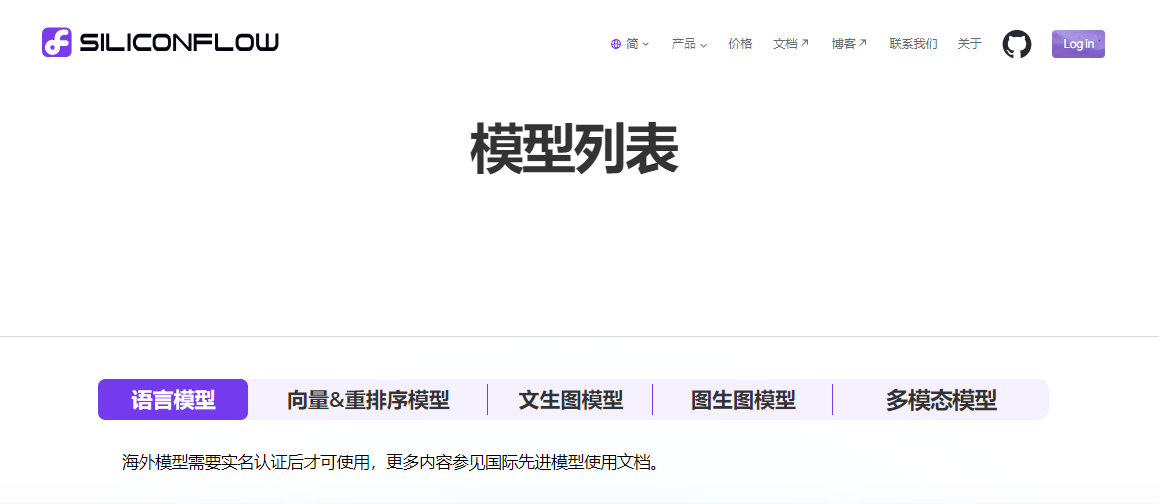
SD3.5介绍
高度可定制性:该模型提供了强大的定制功能,允许用户轻松调整模型参数,以适应各种特定的创意项目或工作流程,从而构建符合个人需求的应用程序。
优化的高效性能:Stable Diffusion 3.5 在性能上进行了优化,使得它能够在标准的消费者级硬件上运行,无需高端的计算资源。特别是 SD 3.5 Medium 和 SD 3.5 Large Turbo 模型,它们在保持高性能的同时,对硬件的要求更加亲民。
多样化的输出能力:该版本能够生成具有多样性的图像,代表不同肤色、特征和背景的人群,无需依赖复杂的提示词,使得生成的图像更加全面和包容。广泛的风格支持:Stable Diffusion 3.5 能够创作多种风格和美学的图像,包括但不限于 3D 渲染、摄影作品、传统绘画、线条艺术等,几乎涵盖了所有可以想象的视觉风格。
微信机器人使用方法
老金Fork了原插件版本lemodragon/Siliconflow2cow进行了优化调整。
老金在原版本的基础上,优化内容如下:
1、增加Flux.dev模型,这个目前是付费版本,生成一个30步的图片为0.12元。
2、增加了最新的SD3.5模型,此模型限时免费中。
3、增加了LLMAPI,你可以自由填写自己的LLM请求地址与LLM模型,目前老金默认填写的是硅基的01-ai/Yi-1.5-9B-Chat-16K模型,此模型测试下来翻译效果最好,并且是免费的!
4、增加SD和Flux的强化提示词
5、增加了Flux.dev的每日使用次数和刷新时间(毕竟老金在的群太多了,薅羊毛都薅死我了)
6、增加管理员密码,管理员不受限制,并且能执行清空已生成图片的指令。
下面开始讲解怎么安装及配置:
首先,你需要满足2个条件:
1、安装了基于chatgpt-on-wechat或dify--on-wechat的机器人。
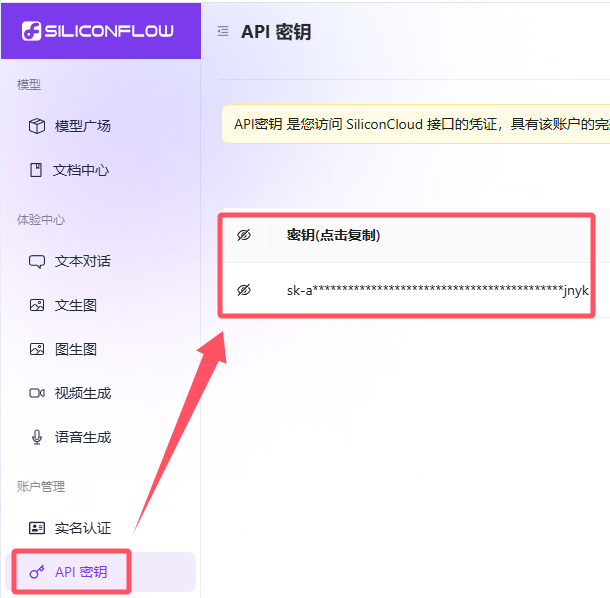
2、申请了硅基流动的API,API在官网如下图位置。
图片加载中…
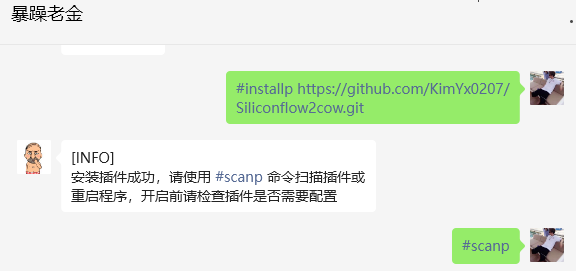
其次,需要安装对应插件Siliconflow2cow,以此私聊机器人以下代码:
#installp https://github.com/KimYx0207/Siliconflow2cow.git
#scanp
图片加载中…
然后在插件目录(chatgpt-on-wechat/plugins/Siliconflow2cow)下,点击终端,执行以下代码,安装依赖:
pip install -r requirements.txt
然后在云服务器文件中进行配置修改,路径是/root/chatgpt-on-wechat/plugins/Siliconflow2cow中找到config.json文件。
配置说明
在 config.json 文件中添加以下配置:
{
  "auth_token": "sk-XXXXXXXXXXXXXXXXXXXXX",
  "drawing_prefixes": ["画", "draw"],
  "image_output_dir": "./plugins/Siliconflow2cow/images",
  "clean_interval": 3,
  "clean_check_interval": 3600,
  "CHAT_API_URL": "https://api.siliconflow.cn/v1/chat/completions",
  "CHAT_MODEL": "01-ai/Yi-1.5-9B-Chat-16K",
  "ENHANCER_PROMPT": "You are a powerful Stable Diffusion prompt assistant. You can accurately translate Chinese to English and expand scenes and detailed descriptions based on simple prompts, generating concise and AI-recognizable painting prompts. Your prompts must output a complete English sentence, and the output result is limited to 100 words or less. It should be detailed and complete, including complex details of what is happening in the image. The text should be limited to one scene. Do not delete important details from the user's input information, especially terms related to graphics, details, lighting, quality, resolution, color profiles, image filters, and artist and character names. Do not output any explanatory content that is unrelated to the image prompt. ",
  "ENHANCER_PROMPT_FLUX": "You are a powerful Stable Diffusion prompt assistant. You can accurately translate Chinese to English and expand scenes and detailed descriptions based on simple prompts, generating concise and AI-recognizable painting prompts. Your prompts must output a complete English sentence, and the output result is limited to 100 words or less. It should be detailed and complete, including complex details of what is happening in the image. The text should be limited to one scene. Do not delete important details from the user's input information, especially terms related to graphics, details, lighting, quality, resolution, color profiles, image filters, and artist and character names. Do not output any explanatory content that is unrelated to the image prompt. ",
  "default_drawing_model": "schnell",
  "dev_model_usage_limit": 10,
  "daily_reset_time": "00:00",
  "admin_password": "XXXXXXXXXXXXXXXXXXXX"
}
-
auth_token: 您的API认证令牌
-
drawing_prefixes: 触发绘图的命令前缀
-
image_output_dir: 生成图片的保存路径
-
clean_interval: 自动清理(默认3天)前的旧图片
-
clean_check_interval: 默认每小时检测一次图片是否需要清理(单位为s)
-
CHAT_API_URL: 模型API地址
-
CHAT_MODEL:模型名称
-
ENHANCER_PROMPT:SD使用强化提示词
-
ENHANCER_PROMPT_FLUX:FLUX使用强化提示词
-
default_drawing_model:默认绘画模型
-
dev_model_usage_limit:付费模型Flux.dev每日使用次数限制
-
daily_reset_time:Flux.dev次数刷新时间
-
admin_password:管理员密码,不受每日次数限制,并且可执行清理图片指令
配置好之后,重载插件。
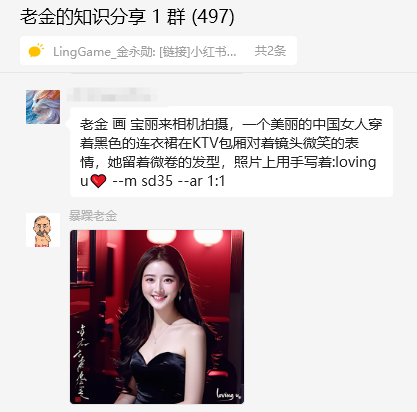
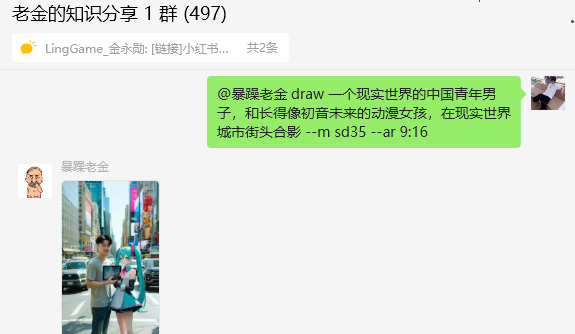
使用"画"或者"draw"时候,自动触发插件。
图片加载中…
图片加载中…
插件功能说明
翻译模型选择
默认情况下,插件使01-ai/Yi-1.5-9B-Chat-16K免费模型。您可以切换到免费模型,如:
Qwen/Qwen2-7B-Instruct (32K, 免费)
Qwen/Qwen2-1.5B-Instruct (32K, 免费)
Qwen/Qwen1.5-7B-Chat (32K, 免费)
THUDM/glm-4-9b-chat (32K, 免费)
THUDM/chatglm3-6b (32K, 免费)
01-ai/Yi-1.5-9B-Chat-16K (16K, 免费)
01-ai/Yi-1.5-6B-Chat (4K, 免费)
internlm/internlm2_5-7b-chat (32K, 免费)

国际领先模型部分:
google/gemma-2-9b-it (8K, 免费)
meta-llama/Meta-Llama-3-8B-Instruct (8K, 免费)
meta-llama/Meta-Llama-3.1-8B-Instruct (8K, 免费)
mistralai/Mistral-7B-Instruct-v0.2 (32K,免费)
优化建议
为提高图像质量,特别是解决颜色过度饱和的问题,可以考虑调整以下参数:
- 推理步数 (num_inference_steps):
-
标准模型:20-50 步
-
快速模型(如 SDXL Turbo):4-10 步
- 引导尺度 (guidance_scale):
-
标准范围:5.0-8.0
-
对于过度饱和的情况,尝试:3.0-5.0
- 提示词优化:
-
使用具体、详细的描述
-
包含艺术风格(例如,"油画风格")
-
使用括号增加权重:"(蓝色眼睛:1.2)"
- 模型特定配置: 根据您使用的模型(FLUX、SD、SDXL Turbo 等)调整参数
使用方法
使用以下格式生成图像:
[前缀] [提示词] --m [模型] --[宽高比]
示例:
绘小女孩,情趣内衣,18岁,蜡烛,昏暗 --m dev --ar 16:9
输入格式错误时,会使用默认模型flux默认尺寸1024x1024请求接口
支持的模型
-
flux: FLUX.1-dev
-
flux: FLUX.1-schnell
-
sd35: stable-diffusion-3-5-large
-
sd3: Stable Diffusion 3 Medium
-
sdxl: Stable Diffusion XL Base 1.0
-
sd2: Stable Diffusion 2.1
-
sdt: Stable Diffusion Turbo
-
sdxlt: Stable Diffusion XL Turbo
-
sdxl: SDXL-Lightning
可用宽高比
-
1:1 (1024x1024)
-
1:2 (1024x2048)
-
2:1 (2048x1024)
-
3:2 (1536x1024)
-
2:3 (1024x1536)
-
4:3 (1536x1152)
-
3:4 (1152x1536)
-
16:9 (2048x1152)
-
9:16 (1152x2048)
图像到图像转换
在提示词中包含图片 URL:
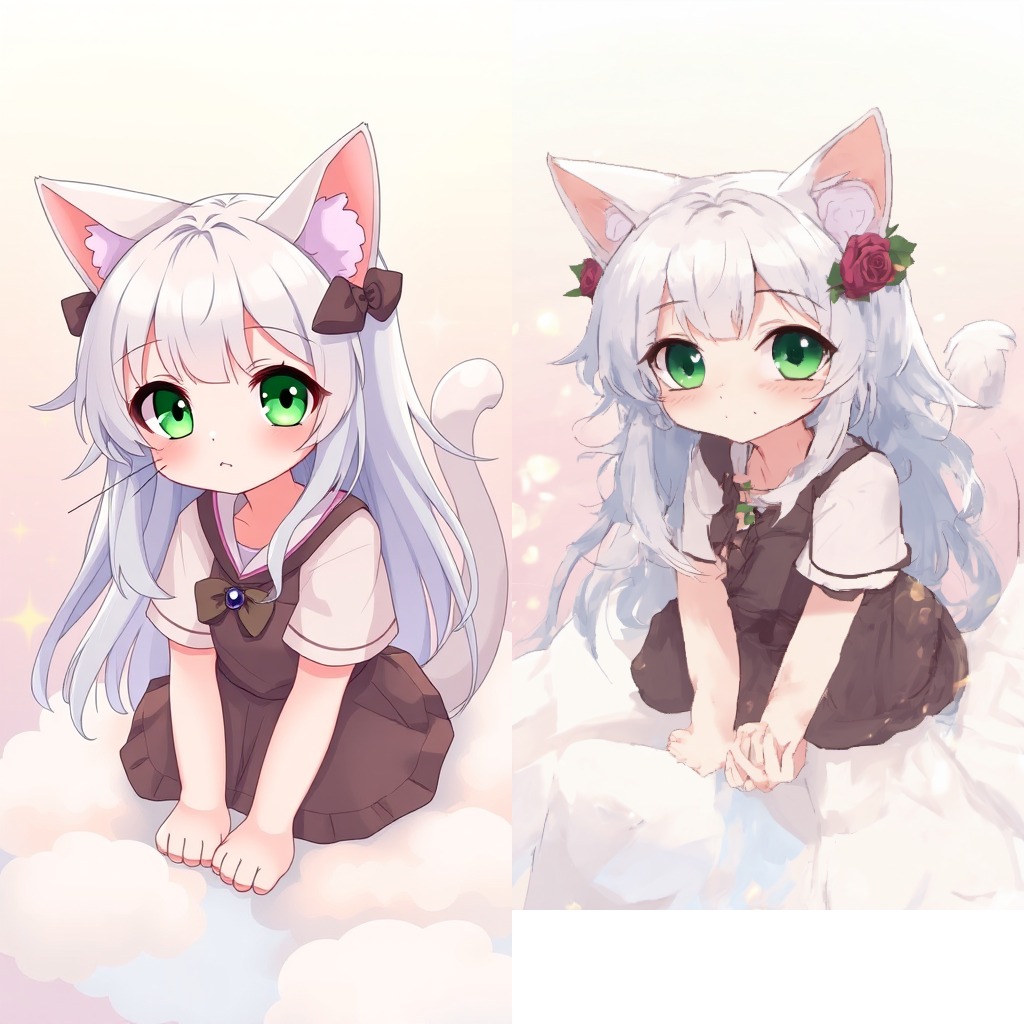
绘 将这张图片中的猫娘头上加上玫瑰 https://demo-cloudflare-imgbed.pages.dev/file/3a58a0d70ecf5439ec784.png --m sdxl --ar 9:16
图片加载中…
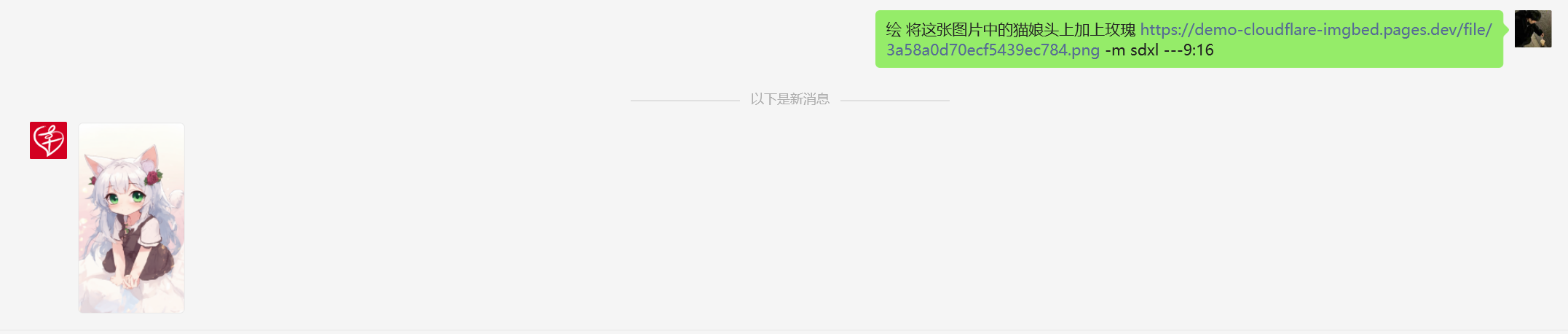
- 图生图有点奇葩,勉勉强强使用吧(第一张为原图,第二张为图生图)
图片加载中…
重要说明
-
确保您有足够的 API 使用额度。
-
请确保您有足够的存储空间来保存生成的图片。
-
插件会自动优化您的提示词以产生更好的结果。
-
请遵守API提供商的使用条款和内容政策。(出现451ERROR为检测到违规提示词,sd2较易触发)
-
定期清理功能会自动删除指定天数前的图片,请注意备份重要图片。
-
使用 绘clean_all 命令时要小心,它会删除所有已生成的图片。
故障排除
如果遇到问题:
-
验证您的 API 令牌是否正确。
-
确保您有稳定的网络连接。
-
查看日志文件以获取详细的错误信息。